Accessing healthcare from home is now simpler through Free Teleconsultation via the SUS App.
This official digital service connects patients directly to doctors without in-person visits.
It provides fast, secure, and cost-free medical consultations within the national health system. The initiative expands access to quality care for everyone in Brazil.
Understanding the SUS App
The SUS App brings public health services directly to your smartphone. It connects patients to medical professionals through secure and user-friendly features.
Understanding how this app functions helps you get the most out of Brazil’s health system.
What Is the SUS App and Its Purpose
The SUS App was created by the Ministry of Health to improve access to medical care across the country.
It provides essential health services digitally, reducing the need for travel or in-person visits.
Through the app, users can schedule appointments, request teleconsultations, and receive follow-up care. Its goal is to make public healthcare faster, simpler, and available to all citizens.
How Teleconsultation Works in the SUS System?
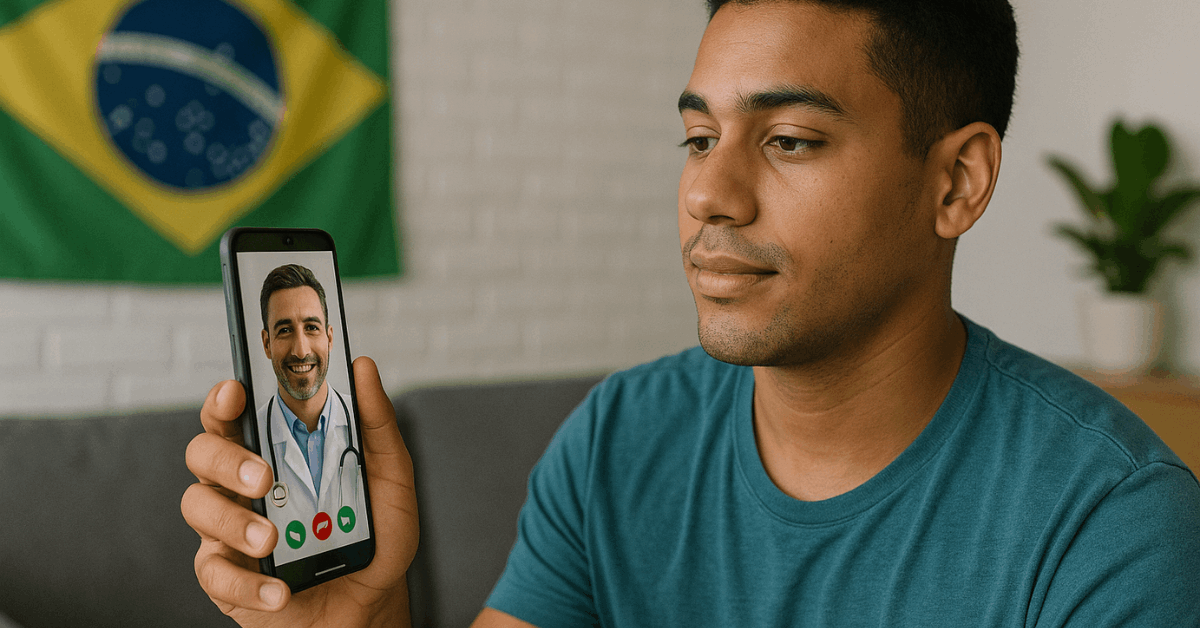
Teleconsultation lets patients communicate with doctors through secure video calls.
Medical professionals can evaluate symptoms, prescribe medications, and guide treatment plans remotely.
All data shared is encrypted to protect your privacy. This feature saves time and brings specialized care even to those in remote locations.
Eligible Users for SUS Teleconsultation
Anyone with a valid SUS registration can request this service. The app ensures that no citizen is excluded from healthcare access.
Even those living in rural areas or lacking private insurance can benefit. This inclusion is part of the government’s effort to expand equality in healthcare delivery.
Requirements Before Requesting Teleconsultation
Before booking your appointment, you must meet certain technical and registration requirements. Preparing in advance ensures a smooth teleconsultation experience.
Necessary Documents and Registration
To access teleconsultations, you must have an active SUS Card and updated personal information in the national database.
These details confirm your eligibility and link you to local health units. If your information is outdated, update it through Gov.br or at a nearby clinic. Keeping your details correct guarantees proper medical record synchronization.
Device and Internet Access
A smartphone or tablet with a stable internet connection is required for teleconsultations.
The SUS App is available for free on both the Google Play Store and the Apple App Store.
Make sure your device’s camera and microphone are working. Using Wi-Fi instead of mobile data helps maintain connection quality during the consultation.
Health Profile Completion
When setting up your account, complete your health profile in the app. This includes medical history, allergies, and current medications.
It allows the doctor to provide more accurate care during your online visit. Keeping your health profile updated also speeds up future appointments.
How to Request Free Teleconsultation Step-By-Step?
Requesting your teleconsultation through the SUS App is a quick and secure process. Each step ensures you are connected with certified medical professionals under the Unified Health System.
Step 1: Download and Install the SUS App
You can find the official app by searching “Conecte SUS” on your app store. Verify that the developer is the Ministério da Saúde to avoid downloading unofficial versions.

After installation, grant permissions for notifications and camera use. This allows you to receive updates and attend video calls directly through the platform.
Step 2: Log In or Create a Gov.br Account
Login is done using your Gov.br credentials, which ensures secure access. If you do not have an account, registration is free on the official Gov.br website.
This login also allows synchronization between different public services. It ensures your identity is protected during all digital medical interactions.
Step 3: Access the “Teleconsultation” Option
Once logged in, go to the main menu and tap “Teleconsultation.” This section lists the available services, such as general medicine and specialty care.
Choose the type that matches your needs. The system automatically connects you with professionals from your health region.
Step 4: Choose the Type of Consultation
The app offers different categories depending on your symptoms. You may request an evaluation with a general practitioner, a specialist, or a follow-up care appointment.
This helps the platform assign your case correctly. Always describe your condition briefly so the system can match you with the right doctor.
Step 5: Confirm Your Appointment
After selecting your consultation, confirm the time and date available. You will receive confirmation through in-app notifications or by email.
Be sure to check your inbox before the scheduled time. If necessary, you can reschedule without penalties through the same section.
Step 6: Join the Consultation
At the scheduled time, return to the app and tap the video call link. Prepare your ID and any recent test results. Ensure your surroundings are quiet and well-lit.
Once the session begins, follow the doctor’s guidance and ask questions about your treatment.
After the Teleconsultation
When your online appointment ends, several post-consultation options become available. These features make ongoing care easier and more efficient.
Accessing Medical Reports
You can access the medical report directly in the “Consultations” tab. It summarizes your diagnosis, recommendations, and prescriptions.
This document can be shared with local clinics or downloaded for personal records. Keeping copies helps maintain continuity of care.
Requesting Prescriptions or Referrals
Doctors can issue digital prescriptions through the app. These include a QR code recognized by pharmacies across the country.
If specialist follow-up is needed, a referral note is also issued digitally. This process eliminates the need for physical documents.
Common Issues and How to Solve Them
Some users encounter technical problems while using the app. Knowing the right solutions saves time and prevents interruption of services.
Login or App Access Problems
If you cannot log in, check your Gov.br credentials or reset your password. Make sure the app is updated to the latest version.
You can also try clearing the cache in your device settings. Restarting your phone often fixes temporary connection errors.
Audio or Video Connection Errors
Connection issues usually come from an unstable internet. Try switching to Wi-Fi or restarting your router.
Ensure your microphone and camera permissions are enabled. Closing other apps running in the background may also improve performance.
Missing or Incorrect Personal Data
Incorrect data can block consultation requests. Always verify your personal details through Gov.br.
If errors persist, contact your local health unit for correction. Once updated, data synchronization takes only a few minutes.
Security and Privacy Measures
Your health data is protected by national laws and encrypted systems. These protocols guarantee safe communication during online consultations.
Data Protection Under LGPD
The SUS App follows the General Data Protection Law (LGPD) of Brazil. This ensures your personal and medical information remains confidential.
Only authorized healthcare professionals can view your records. Data storage and transmission follow strict encryption policies.
Secure Connection and Authentication
Each session uses secure video technology and two-factor authentication. The Gov.br system verifies your identity before accessing any service.
This prevents unauthorized access to your account. Every action performed inside the app is logged for transparency.
User Responsibility
Always protect your login information and personal devices. Avoid sharing your Gov.br credentials with others. Use strong passwords and log out after every session. Keeping your device updated adds another layer of protection.
Tips for a Successful Teleconsultation
Good preparation ensures your teleconsultation goes smoothly. Following these steps helps improve communication and clarity with your doctor.
- Prepare Your Environment: Choose a quiet, well-lit area for the video call.
- Have Documents Ready: Keep your ID, SUS card, and medical history nearby.
- Check Your Internet Connection: Ensure a stable connection to avoid disruptions.
- List Your Symptoms and Questions: Write them down to use your time efficiently.
- Respect the Scheduled Time: Log in five minutes before your appointment.
Each of these steps helps make the consultation more effective and productive.
Benefits of Using SUS Teleconsultation
Teleconsultations bring multiple advantages to patients and healthcare professionals. They are designed to make medical care faster and more efficient.
Accessibility for Remote Regions
Citizens in remote areas now have direct access to professional medical advice. The service removes the need to travel long distances for basic care.
This inclusion helps balance healthcare access across Brazil. It is especially useful for elderly or chronically ill patients.
Time and Cost Efficiency
Patients save both time and transportation expenses. Online appointments can be scheduled faster than traditional visits.
The reduction in travel also decreases exposure to infections. Overall, teleconsultation improves time management for both patients and doctors.
Integration With Local Health Units
When physical evaluation is needed, teleconsultation records help coordinate follow-up visits. Health units receive digital reports automatically.
This avoids repeated paperwork and improves continuity of care. The system ensures that remote and local healthcare operate in sync.
Bringing Healthcare Closer Through Technology
The SUS App is a powerful tool for making healthcare accessible and efficient. It removes geographical barriers and helps millions connect with doctors remotely.
By combining technology with public service, it promotes equal access to healthcare in Brazil.
Start using the app today and experience a faster and safer way to care for your health.